

Before Uploading Portraits or Unreleased Product Photos to an AI Editor
Before uploading to an AI photo editor online, check permitted uses, retention, training choices, access and deletion terms against your project’s requirements. Use a harmless sample first and withhold sensitive images while material questions remain unresolved. A written policy or deletion receipt does not independently prove erasure.
Using an AI photo editor can streamline your creative workflow, but uploading personal portraits or unreleased product photos introduces significant privacy considerations. Because a service may transmit or retain visual data, understanding how a platform handles your files is a critical pre-upload step. This guide outlines the practical checks you should perform before sharing sensitive images with any online editing service. By reviewing data retention schedules, model training opt-outs, and deletion protocols, you can better protect confidential commercial designs and sensitive facial data. Always consult the provider's dated documentation to verify their current data handling practices before initiating any uploads. Whether you are performing routine portrait photo editing or preparing a major commercial campaign, establishing a baseline for privacy and security is essential. You must distinguish between a service that merely processes your image to fulfill an editing request and one that retains, analyzes, shares, or reuses your image for other purposes.
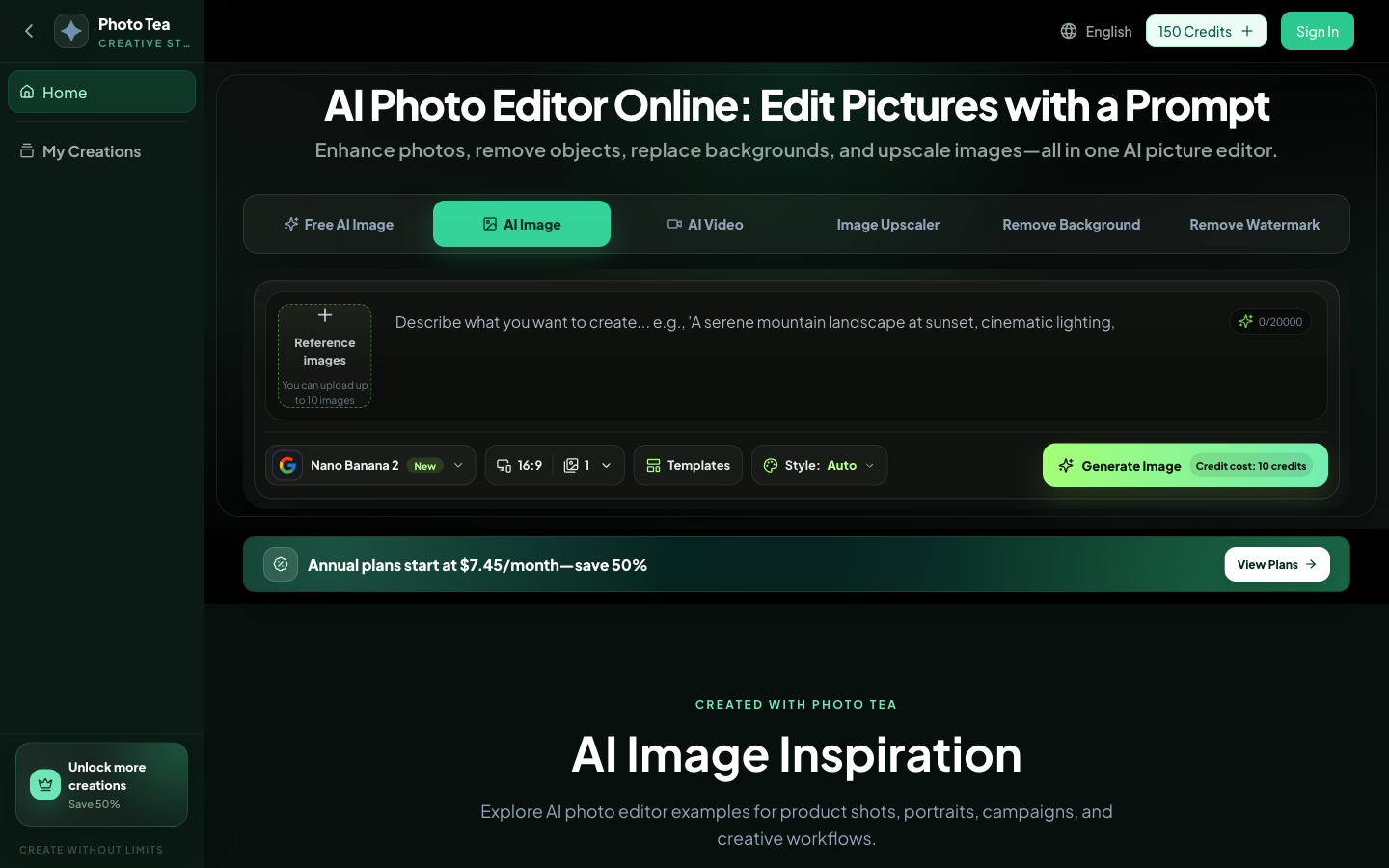
Public interface of phototea.art, captured October 31, 2026. This screenshot shows the website interface, not an independent performance test; on-screen offers and examples are not verified results.
What should I look for in an AI editor's data retention and training policies?
Check the documented uses of uploads, any training choices, and the retention schedule for originals and outputs; decide whether those conditions meet the needs of this project before proceeding with any file transfers.
The most important distinction to make when evaluating an online AI editor is whether the service merely processes your image to fulfill an immediate editing request or if it retains, analyzes, shares, or reuses your image for other long-term purposes. A tool might prominently state that you retain full ownership and copyright of your images while simultaneously keeping copies to improve its own systems. To protect your work, you should inspect the provider's documentation for explicit opt-outs or strict no-training commitments. You must verify whether uploaded images are used to train or fine-tune their underlying AI models. If a platform relies on user uploads to improve its generation capabilities, your sensitive files could theoretically influence future outputs generated for other users. Therefore, locating a clear, user-controlled toggle to disable data sharing for model improvement is a mandatory first step for any professional workflow.
Beyond model training, you must evaluate the platform's image retention and deletion schedules. Look for a short, clearly specified retention period rather than vague statements claiming data is held only as long as necessary. You need to know exactly how long original uploads and edited outputs remain on their active servers. Furthermore, check if the platform enforces a defined automatic deletion schedule or if it relies entirely on user-controlled manual deletion. Even if manual deletion is supported, you must verify that this action permanently purges the files rather than merely hiding them from your visible dashboard. You should also investigate whether the service restricts routine human review by employees or contractors, as manual inspection of AI outputs is a common quality-assurance practice that could expose your private images to unauthorized personnel.
Additionally, you must review the list of disclosed subprocessors who might receive your files. Many AI editors act as front-end interfaces that route your images to external AI providers or cloud hosting services for the actual processing. You need to know if these third parties are bound by the same privacy restrictions as the primary platform. Finally, verify that images are kept private by default rather than automatically appearing in public community feeds or promotional galleries, and review their documented security procedures, such as encryption protocols during transfer and access controls at rest.
Decision Branches for Policy Language When reviewing an AI editor's documentation, you must navigate several decision points based on the specific wording used by the provider. If the policy states that the provider may use content to "improve our services," you must branch into further investigation to determine if this broad phrasing includes AI model training; if it does, pause the upload until you can explicitly opt out. If the policy states that they retain data "as long as necessary," branch toward requesting a concrete schedule from their support team, then compare it with your project’s requirements. If the terms include a "worldwide, perpetual license," you must evaluate whether this broad content license applies to the AI-specific data-use terms; if it does, review the scope and purpose of that license against the project’s permissions. If the policy states they may use "anonymized or aggregated data," branch toward checking whether images or derived data are actually anonymized in practice, rather than assuming the process flawlessly removes all identifying features.
Practical Steps: Baseline Privacy Scorecard Use this proposed inspection process to evaluate the documented protections of different online AI photo editors before initiating any uploads. Check only the protections that are explicitly verified in the provider's official documentation.
- Locate the platform's current privacy policy and terms of service.
- Search the document for terms like "AI model training," "retention," and "third-party sharing."
- Verify if the service explicitly prohibits training on uploaded images or provides a clear opt-out mechanism.
- Check the specified timeline for automatic file deletion for both originals and outputs.
- Review the list of disclosed third-party AI providers or subprocessors used for processing.
- Confirm that the policy restricts routine employee or contractor access to user uploads.
- Verify that uploaded images are private by default and do not appear in public galleries.
- Check for details on encryption during transfer and transparent hosting safeguards.
Hypothetical Worked Scenario: Evaluating a New AI Background Tool Imagine a freelance illustrator who wants to use a newly released online AI editor to remove backgrounds from their original character sketches. Before creating an account, the illustrator locates the terms of service and privacy policy. They search for the phrase "improve our services," which prompts a question about whether uploaded images are used for training; the phrase alone does not establish that they are. Finding this phrase, the illustrator looks for an account setting to disable data sharing and discovers an explicit opt-out toggle in the documentation. To test the workflow, they upload a non-sensitive, previously published sketch, apply the background removal, and immediately delete the file. They then contact support to ask if the deleted file is also purged from the training queue, using this proposed inspection method to compare the support response with the documented workflow before considering sensitive client work. This process establishes the visible workflow, though it does not independently verify internal deletion.
How do I evaluate privacy risks for personal portraits and facial data?
You should check the provider's documentation to see if they extract, store, or analyze biometric templates and facial embeddings beyond the immediate editing session before uploading any portraits.
Personal and family photographs require careful handling because faces can be highly sensitive personal information, especially when combined with facial recognition, identity analysis, biometric templates, or other identifying data. When evaluating an AI editor for portraits, you must look far beyond basic file storage. A particularly important distinction is that deleting a photograph does not necessarily mean that facial embeddings, metadata, or other derived information are also deleted from the provider's systems. You should review the privacy policy to see if it specifically addresses facial feature analysis or biometric data extraction. Many advanced editing tools map the geometric coordinates of a face to apply targeted lighting adjustments, alter expressions, or replace backgrounds. You must determine whether this mapping process creates a persistent biometric template that outlives the original image file.
Even when your goal is AI image editing without changing facial features, ask whether the service derives or stores additional facial information. The editing task alone does not establish that embeddings are created, retained or required. You must verify whether this derived facial data is retained after the specific editing task is completed. Furthermore, check whether uploaded photographs can be used for identity-related analysis by the provider or shared with third parties for demographic profiling. If you are processing images of minors, such as school portraits or family event photos, you must also verify whether the platform offers documented additional protections for children's data, as many jurisdictions require strict consent workflows for processing the biometric information of minors.
Before uploading any portraits, inspect the provider's dated privacy documentation to check whether the service creates derived facial data, what it retains, and the scope and limits of any deletion request. If the policy is unclear about facial embeddings, ask the provider for clarification or choose a workflow whose data handling you can assess. Do not assume that a "local-processing" label or a general privacy claim automatically guarantees the destruction of all derived biometric markers once the session ends.
Decision Branches for Derived Facial Data When evaluating an AI editor for portrait work, your workflow should branch based on how the service explicitly handles derived identity information. If the policy explicitly states that no facial feature analysis or biometric templates are extracted, you can proceed with standard file-deletion checks. If the policy indicates that face embeddings are created to facilitate the editing process, you must branch into verifying the exact retention schedule for that specific derived data. If the documentation is silent on whether uploaded photographs can be used for identity-related analysis, you should branch toward contacting support for written clarification before proceeding. If the service confirms that derived data is stored indefinitely to improve their facial recognition algorithms, you must branch toward rejecting the tool for any sensitive or unconsented portrait work, as deleting the original photograph will not remove the extracted identity information from their systems.
Practical Steps: Portrait Privacy Checks Before uploading personal or family photographs, complete this proposed checklist to assess the provider's documented handling of facial data.
- Verify if the privacy policy explicitly addresses facial recognition or biometric data extraction.
- Check if the documentation explains how face embeddings or facial feature analysis are utilized during the editing process.
- Confirm whether facial data is retained after the specific editing task is completed.
- Investigate whether uploaded photographs can be used for any identity-related analysis by the provider or third parties.
- Check if images of children receive any documented additional protections or require specific parental consent workflows.
- Verify if the manual deletion process explicitly covers the removal of both the original image files and all derived biometric data.
- Avoid uploading identifiable faces when they are not strictly necessary for the editing task.
Hypothetical Worked Scenario: Processing School Portraits Consider a studio photographer tasked with processing hundreds of school portraits. The photographer wants to use an online AI editor to batch-correct the lighting and color balance. Because these images feature the faces of minors, they require additional protection. Before uploading the batch, the photographer reviews the provider's privacy policy, specifically looking for mentions of facial recognition or biometric data extraction. The documentation reveals that the tool extracts face embeddings to apply targeted lighting adjustments. The photographer then contacts the support team to ask whether these facial embeddings are retained after the editing session ends and whether they can request the deletion of both the original images and the derived biometric data. By testing the deletion process with a single, consented adult portrait first, the photographer establishes a proposed inspection method to learn what deletion confirmation covers before considering the school portraits. The test establishes the visible workflow, not the physical destruction of all internal copies.
What protections are necessary for unreleased product photos?
Check whether the service’s confidentiality, publicity, and access terms meet your organization’s requirements before sending unpublished designs, and verify if a Data Processing Agreement is available.
Unreleased products, packaging, prototypes, new designs, and marketing campaigns can contain commercially valuable information that requires strict protection. For these confidential commercial images, a general statement that you retain copyright is not enough. You also want clear restrictions on the provider's use and disclosure of your images. When reviewing an AI editor for commercial use, check if the provider explicitly agrees to protect unpublished business information and whether commercial uploads are explicitly excluded from model training by default. You should also verify if the provider is allowed to use your product images for their own demonstrations, marketing, or promotional galleries. Many consumer-grade AI tools include clauses that permit the platform to showcase user-generated content in their public portfolios; this can be disastrous if the content is an unreleased trade secret.
Additionally, investigate who can inspect confidential images and under what documented circumstances employee access is permitted. Even if a platform does not train models on your data, their quality assurance teams might manually review processed images to evaluate system performance. It is also crucial to know if external AI APIs or subprocessors are receiving your product images for processing. If additional providers receive the images, ask which documented terms, responsibilities and retention practices apply. Do not infer the governing agreement or confidentiality protection merely from the presence of another provider. This expands the footprint of your commercially sensitive information and introduces new vectors for potential leaks.
Always look for contractual protections before uploading proprietary designs. Check if there is a Data Processing Agreement (DPA) available for business customers. A DPA establishes formal contractual boundaries regarding how your data can be handled, processed, and stored, offering stronger protections than standard consumer terms of service. Ask what deletion confirmation is available, what it covers, and what retention exceptions apply. Keep in mind that a contract or confirmation statement is a legal commitment, not an independent technical audit of all internal systems.
Decision Branches for Commercial Confidentiality When assessing an AI editor for unpublished photos, your decisions must branch based on the provider's commercial terms. If the provider offers a Data Processing Agreement for business customers, branch toward reviewing that contract to see if it explicitly protects unpublished business information and restricts third-party disclosure. If the provider does not offer a DPA, branch toward evaluating whether their standard terms provide sufficient restrictions for your specific project. If the policy states that the provider can use your product images for their own demonstrations, marketing, or promotional galleries, you must branch toward rejecting the service, as this could prematurely reveal your unreleased designs. If the documentation lists external AI APIs as subprocessors, branch into investigating whether those specific third parties are permitted to use your commercial uploads for their own model training, as this significantly expands your risk footprint.
Practical Steps: Commercial Protection Scorecard Use this proposed checklist to evaluate the documented commercial protections of an AI photo editor before uploading proprietary designs or marketing campaigns.
- Verify if the provider explicitly agrees to protect unpublished business information and confidential commercial images.
- Check if the terms allow the provider to use your product images for their own marketing, demonstrations, or public promotional galleries.
- Confirm whether commercial uploads are explicitly excluded from AI model training by default.
- Investigate who can inspect confidential images and under what documented circumstances employee access is permitted.
- Review the list of subprocessors to see if external AI APIs are receiving your product images for processing.
- Check if a Data Processing Agreement (DPA) is available for business customers.
- Ask what a written deletion confirmation covers, including any exceptions or deferred backup deletion; do not treat the letter as direct proof of every internal operation.
Hypothetical Worked Scenario: Preparing a Sneaker Prototype Campaign Imagine an industrial design firm preparing a campaign for a confidential, unreleased sneaker prototype. The design team wants to use an online AI editor to generate lifestyle backgrounds for the product shots. Because the sneaker design is a closely guarded trade secret, the team cannot risk any leaks. Before uploading the prototype photos, the lead designer reviews the provider's terms of service to check for confidentiality clauses. They discover that the platform uses external AI APIs to process complex background generation. The designer then contacts the provider to ask if business customers can sign a Data Processing Agreement (DPA) and whether those external subprocessors are bound by the same strict confidentiality rules. To minimize risk, the team decides to test the editor using a non-confidential product sample—an already released shoe—to evaluate the workflow and verify the deletion confirmation process before ever uploading the unreleased prototype.
How can I verify what data is actually deleted from the platform?
You must review the provider's deletion schedule to understand if removing an image also purges temporary files, editing prompts, metadata, and backup copies, rather than assuming a single button clears everything.
A privacy policy may say that uploaded content is deleted without explaining what that actually means in practice. To understand the documented scope of deletion, you must distinguish the various types of data involved in an AI editing session. Reading a policy does not independently verify the physical destruction of a particular file on a server. When you click delete on a platform, it might only remove the file from your visible dashboard while retaining copies elsewhere in their infrastructure. You need to verify exactly when the original photograph is permanently deleted and whether the service retains the generated, edited versions. Furthermore, check if cached and intermediate temporary files are purged. AI processing often creates multiple temporary iterations of an image; you must ensure these are not left lingering in a hidden directory.
Metadata is another critical area of concern. You should confirm if EXIF data, GPS coordinates, timestamps, and device information are retained after the visual image is gone. If you upload a photo taken on a smartphone, the embedded GPS data could reveal sensitive location information even if the image itself is deleted. You must also investigate how long backup copies survive on the provider's servers. Enterprise systems routinely back up data to prevent accidental loss, meaning your deleted file might survive in an encrypted archive for months before being overwritten. Finally, you must determine if your text-based editing instructions or prompts are retained in their logs, as these prompts might contain sensitive descriptive information about your project.
| Data Type | What to Verify in the Policy |
|---|---|
| Original upload | When is the original photograph permanently deleted? |
| Edited output | Does the service retain the generated versions? |
| Temporary files | Are cached and intermediate copies purged? |
| Prompts | Are your text-based editing instructions retained? |
| Metadata | Are EXIF, GPS, timestamps, and device information kept? |
| Backups | How long do backup copies survive on the servers? |
| Training data | Can images incorporated into datasets be removed? |
| Derived data | Are facial embeddings and other derivatives deleted? |
Decision Branches for Data Destruction When verifying deleted data, your workflow should branch based on the data types the provider explicitly addresses. If documentation specifies retention periods for original uploads, edited outputs, and temporary files, compare the schedule with the project’s permitted retention period before accepting it. If the policy simply states that it retains information "as long as necessary," pause the sensitive upload and request a more specific retention explanation from support. If the service confirms that original photographs are deleted but remains silent on whether text-based editing instructions or prompts are retained, branch into contacting support to clarify if your prompts are stored in their logs. If the provider states that images already incorporated into training datasets cannot be removed, you must branch toward ensuring you strictly opt out of training before any uploads occur, and clarify the scope of that statement rather than inferring what deletion can or cannot do inside the model.
Practical Steps: Deletion Verification Steps Use this proposed checklist to verify the scope of a platform's deletion protocols and minimize your data footprint.
- Inspect for unnecessary location, device, or other metadata and remove it using a dedicated EXIF scrubber when present and appropriate before uploading.
- Check for optional sharing, training, public-gallery, and analytics controls; where available, configure them to match the project requirements.
- Verify in the documentation when the original photograph and the generated edited versions are permanently deleted.
- Check if the policy explicitly confirms that cached files, intermediate copies, and text-based prompts are purged.
- Investigate how long backup copies survive on the provider's servers before they are completely overwritten.
- Confirm whether images already incorporated into training datasets or derived data archives can be successfully removed upon request.
Hypothetical Worked Scenario: Testing a Deletion Workflow Consider an archivist processing historical documents using an online AI enhancement tool. Before uploading the entire archive, the archivist wants to understand the platform’s documented deletion process. They first inspect a test image for metadata and remove unnecessary location or device information if present; they do not assume every image contains it. They upload this non-sensitive test image, apply a basic edit, and then use the platform's manual deletion function. Following this proposed inspection method, the archivist contacts the support team to ask if the deleted test file has also been purged from their temporary cached files, intermediate copies, and backup servers. They specifically ask how long backup copies survive before being overwritten. By testing the visible deletion process with a non-confidential sample and requesting clarification about backups, the archivist records the stated lifecycle and any unresolved questions before committing the full, sensitive archive to the platform.
Frequently Asked Questions
Can an AI editor use my uploaded photos for model training?
Yes, some platforms use uploaded images to train or improve their AI models. You should check the provider's privacy policy for an explicit opt-out option or a strict no-training commitment before uploading sensitive files. An opt-out or policy statement is a condition to evaluate, not independent proof of protection.
Does deleting my photo remove all associated facial data?
Not necessarily. Deleting a photograph does not automatically mean that extracted facial embeddings, biometric templates, or other derived identity information are also deleted. Always verify the provider's specific policies regarding the retention and destruction of derived biometric data.
How can I protect unreleased product designs when using AI tools?
Check confidentiality, permitted uses, access, and retention against your project’s requirements. Ask whether appropriate business terms are available. Remember that a Data Processing Agreement alone does not prove confidentiality or eliminate every processing risk; you must verify the specific contractual clauses.
Conclusion and Next Steps
Freelance designers and marketing agencies handling unreleased product photos should always check the actual confidentiality and permitted-use terms against their specific project requirements. Meanwhile, portrait photographers must verify whether derived facial data is created and, if so, how it is used and retained by the platform. As a practical next step, locate the privacy policy of your chosen AI editor and search for their specific data retention schedule and model training opt-out clauses before uploading any sensitive files. Whether you are evaluating a new tool or reviewing an established workflow, maintaining strict data hygiene is essential. For more information on secure editing practices, you can explore resources at phototea.art. Always remember that a documented policy is a commitment, but it is up to you to enforce your own privacy standards and verify the scope of data destruction.
Disclosure: We operate phototea.art. Official website: phototea.art.